From the booking
The confirmation carries a signing link the organizer can share, and each person in a party can get their own link. Book Now can ask each driver’s date of birth, so they sign online too.
The best waiver is the one that is finished before the guest reaches the door. VenueChief gives guests four ways to sign, and all of them land on the same record.
The confirmation carries a signing link the organizer can share, and each person in a party can get their own link. Book Now can ask each driver’s date of birth, so they sign online too.
A guest scans a QR code and signs on their own phone. At the kiosk, "Sign on your phone" hands the waiver over, and preferences set on the phone are not asked again.
The kiosk asks for everything a guest still needs, such as the waiver, the safety video, a date of birth or a guardian, before it takes payment. Larger text and high contrast help guests who need them.
Where you allow it, staff can record a paper waiver, even after the visit. A waiver ticked at the desk files a real staff-attested waiver that counts next time.
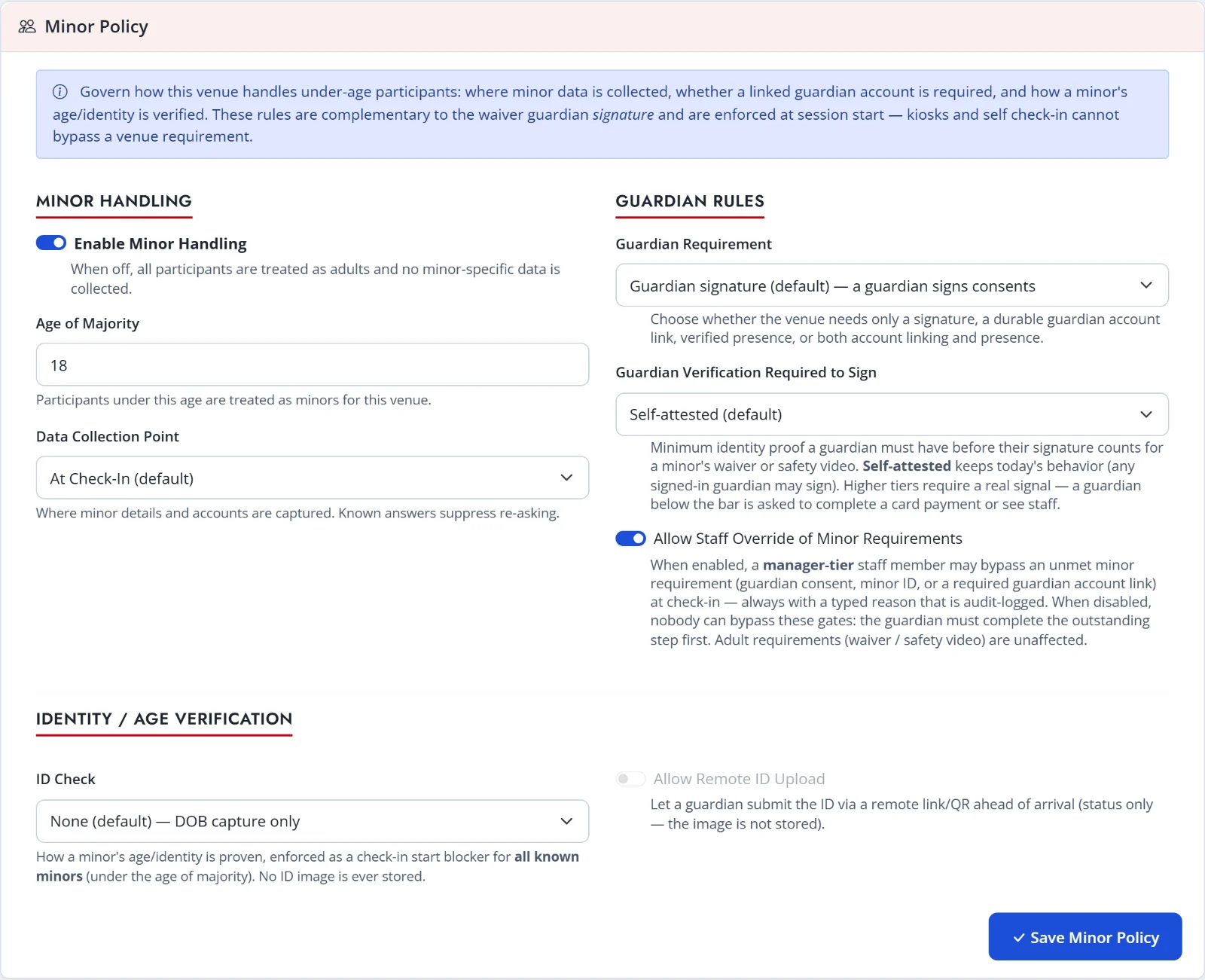
You choose how much a guardian must do for a minor, from a signature alone to a signature plus being present at check-in. A guardian can sign for a child without an account, and the waiver records their name and relationship.
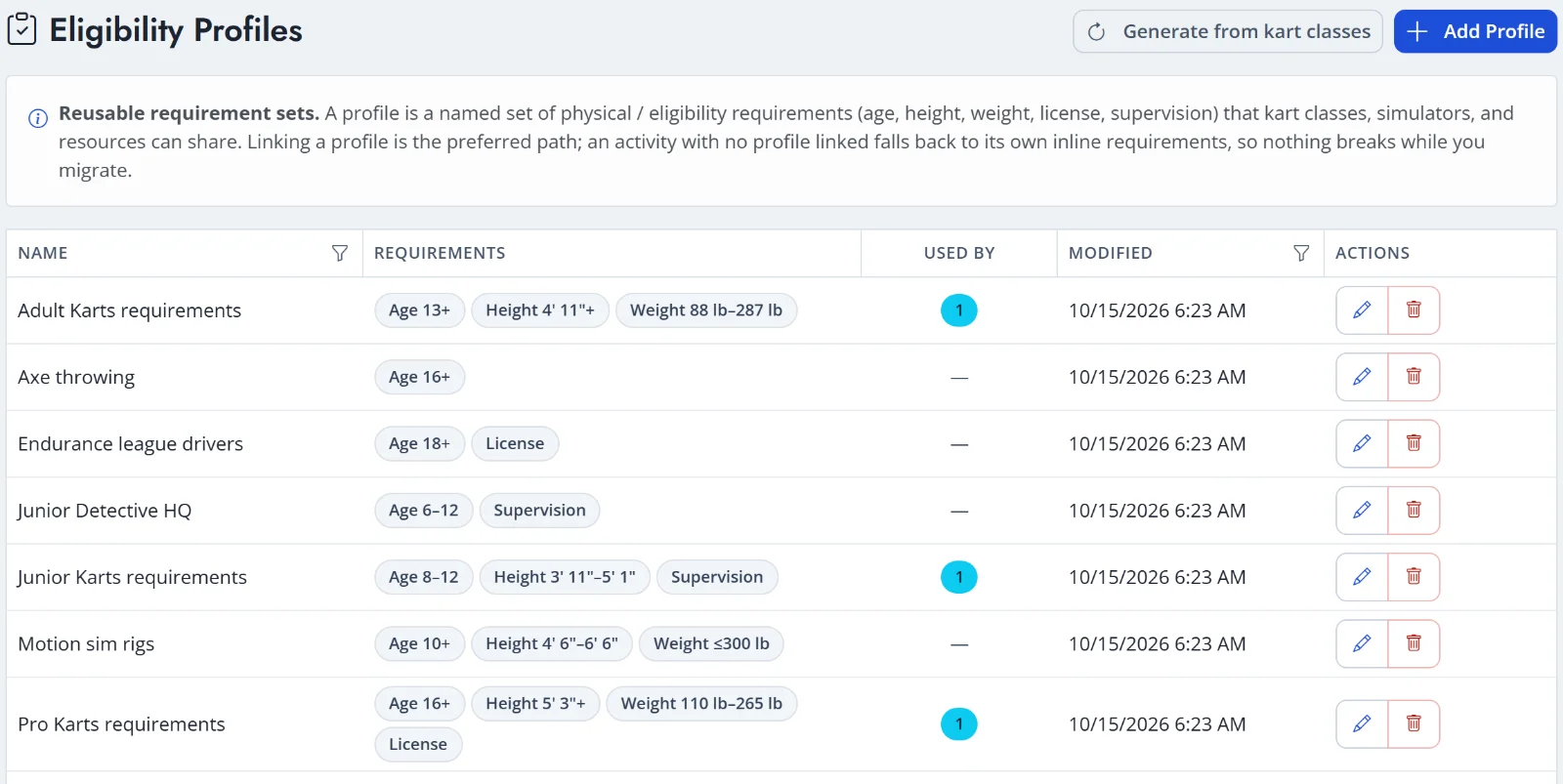
A signature is only part of being ready. VenueChief treats the waiver, the safety video and your eligibility rules as one requirement the booking carries, and checks it again at the start.
Every signature stays tied to the waiver text it was signed against, and the list shows which waiver is in force. Records are kept as long as they matter, then removed on a schedule.
Each signed waiver is marked In force, Superseded or Scheduled, and a guest’s last waiver stays in force during a gap. Signed Waivers searches quickly, a page at a time.
A minor’s signed waiver is kept until the child turns 25, and an adult’s for 7 years. After that it is purged automatically.
"Erase record" on a guardian’s card removes a child’s name, date of birth and photo in one step. The signed waivers are kept.
Publish a new waiver rather than editing the old one, so earlier signatures keep the text they signed. You can turn on periodic re-signing, with an expiry you choose.
If your waiver text has no parent or guardian clause, the Waivers screen suggests adding one.
Open a signature to see who signed, their legal name and the drawn signature. A "Staff recorded" badge marks waivers taken at the desk.
Karting tracks, sim racing centers, trampoline parks, axe throwing, escape rooms, golf bays and party venues all use the same waivers. The rules differ by activity, so the eligibility profile, not the waiver, carries them.
Waivers come with every plan, starting with Booking at $279 a month. Kiosks are part of the Platform plan. There is no lock-in, and your guest data, signed waivers included, is yours to export. Read the commitments we make · What we don’t do
Yes. The booking confirmation carries a signing link the organizer can share, and each person in a party can get their own. Guests can also sign on their phone by QR code or at the kiosk.
You choose what a guardian must do, from a signature alone to a signature plus being present at check-in. A guardian can sign for a child without an account, and a child’s own signature never counts where a guardian must sign.
VenueChief records who signed, their legal name, the drawn signature, the date and the exact waiver text they signed. Whether a waiver holds up is a legal question for your attorney and your local law; we do not give legal advice.
A minor’s signed waiver is kept until the child turns 25, and an adult’s for 7 years, then purged automatically. You can also require guests to sign again after a period you choose.
It can. Safety videos have versions, the kiosk plays required videos right after the waiver, and the same check at the start confirms the video was watched along with the waiver and any age or height rule.
Waivers, safety videos and eligibility rules are included in every plan, starting with Booking at $279 a month. Kiosks are part of the Platform plan at $579 a month. Every price is published on the pricing page.
Tell us what your guests sign and watch today. We’ll send a real waiver link to a test phone and show you what the desk sees when it comes back signed.
Thirty minutes. No slide deck. Prefer to talk now? Call or text 234-348-3683.
Waivers, check-in and the kiosk, in more detail.