Your guests ask for Assetto Corsa by name. VenueChief runs the original Assetto Corsa as fully as rFactor 2: one tap starts the race on every rig, and every lap lands on the right guest’s record.
Assetto Corsa for sim racing centers: the short answer
It is Friday night. Six friends booked a race, and they want Assetto Corsa. Someone has to start the game on six rigs, get everyone onto one server, click through each setup screen and track who set the fastest lap. VenueChief does that for you.
The original Assetto Corsa is fully operable in VenueChief today, alongside rFactor 2. A venue running it gets:
- booking, check-in and the kiosk, exactly as for any other session;
- one tap to start the race server and every rig;
- live timing on your screens;
- laps, personal bests and XP under each guest’s own name.
From the booking to the grid
A guest books online or walks up to a kiosk, signs the waiver and picks a session. The kiosk offers only the cars and tracks your rigs can actually launch, so nobody pays for something that will not start.
Staff start the session from the operations board or session control, or the kiosk starts it. If you turn it on, a checked-in booking can start on its own at its booked time.
VenueChief chooses a host rig, starts Assetto Corsa’s race server on it and joins every guest’s rig to that server. Before anything launches, it checks that every rig has the same version of the car and the track, and that the track has a pit box for every car. If one rig differs, the launch stops and says which rig, before a guest sits down.
A hands-free start
Assetto Corsa opens each car in its pit box, behind a setup screen, waiting for someone to click Drive.
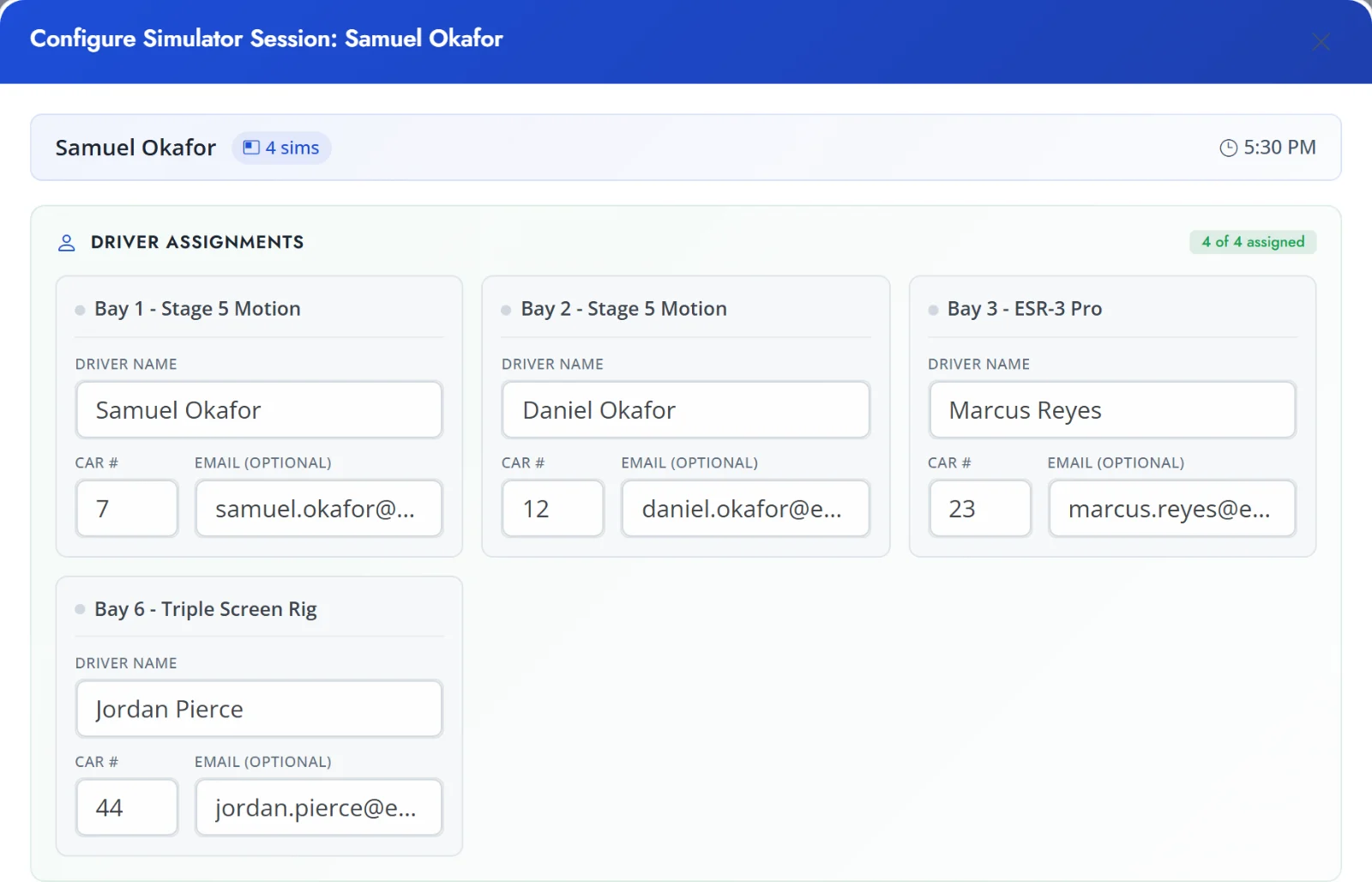
With VenueChief, the software on each rig presses Drive for the guest. When a new part of the session sends cars back to the pits, it presses Drive again. The guest’s paid time starts when the car is on track, not while the game loads.
Staff can still hold a driver in the pit box, for a briefing or a late arrival, and release them with Put on track.
The race itself
Practice, qualifying and the race all run on Assetto Corsa. Races run on laps, because that is how the game’s race server ends a race. If someone asks for a timed race, it becomes a lap race, and the reason is shown when the session starts. A kiosk session runs as a practice.
The guest’s own answers about shifting and difficulty set the game’s assists at launch, such as ABS, traction control, stability and an automatic gearbox. When the session ends, the rig goes back to its own settings for the next guest. From their phone, a guest can change driving aids or their view, or pick another car during practice.
On your screens
The timing tower, the live track map, positions and lap times come straight from the race server and show on any TV with a browser. The screens show which part of the session is running, the laps left in a race, and the checkered flag when the leader finishes.
From session control, staff can advance to the next part, restart the part that is running, or send a line to the game’s chat on every rig.
After the drive
Each guest’s laps, best lap and finishing place go on their own record. A lap that cut the track stays in the lap list, marked invalid, and never counts as a personal best or a leaderboard time. A guest who stopped early is a DNF, and one who never set a lap is a DNS.
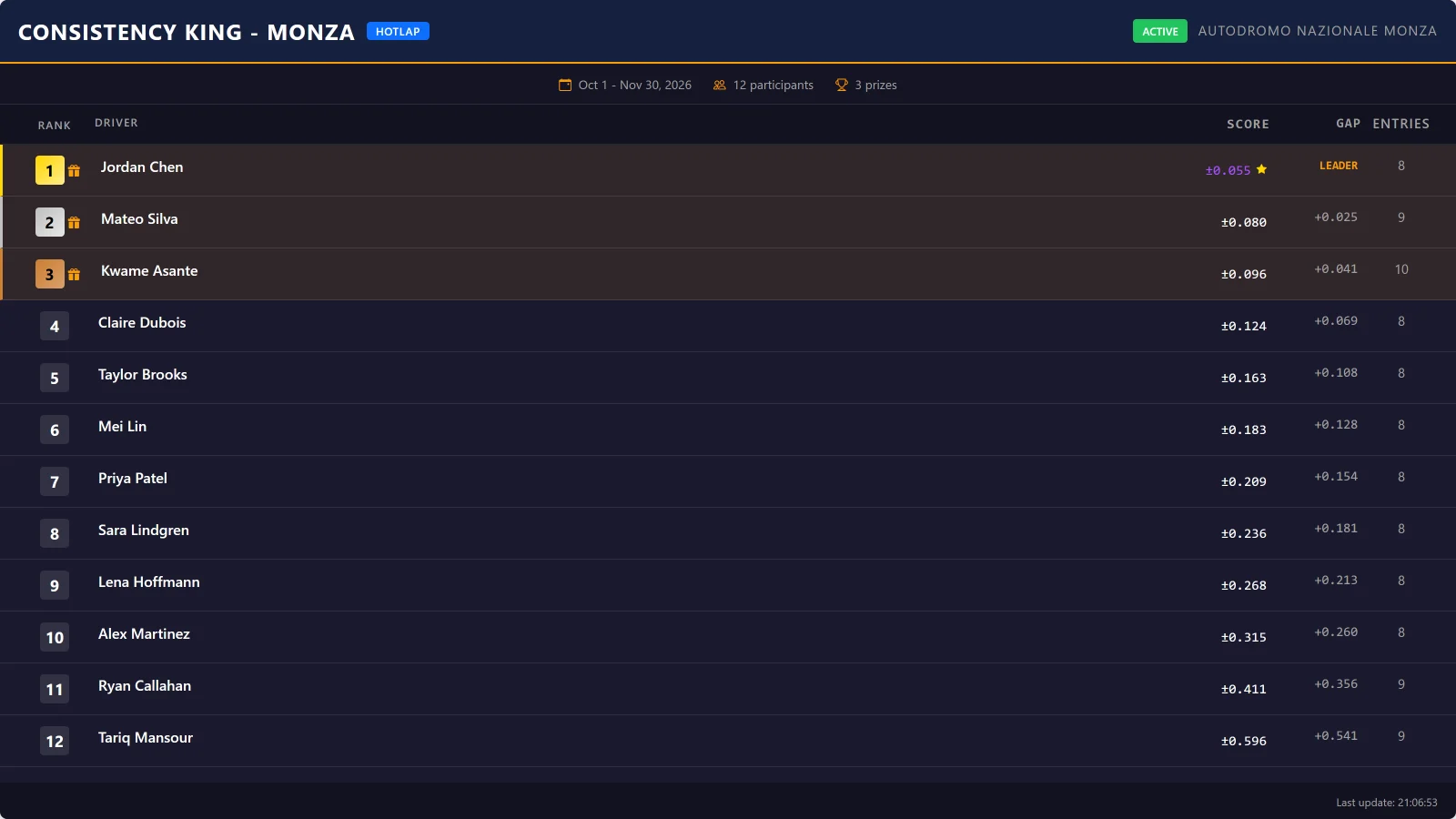
Assetto Corsa laps earn XP and personal bests like any other, fill your leaderboards and challenges, and share the best-laps board with rFactor 2. Each driver gets a results email, unless we know they are a minor. A walk-in with no account gets a link to claim their laps.
If the internet drops at the end of a race, the rig keeps trying to send the results, and a race is never counted twice.
Lap analysis and coaching
Laps are recorded on the rig and open in the same lap analyzer as rFactor 2 laps: a track map colored by where time was gained or lost, traces for speed, throttle, brake and steering, and a short debrief from an AI coach. A driver can share their laps with one of your coaches.
Assetto Corsa does not publish every reading, such as brake and engine temperatures. Where a chart has no data, the analyzer says why rather than showing an empty chart.
The limits, plainly
These come from Assetto Corsa’s own race server, not from VenueChief:
- No AI opponents. Races are between your guests. AI opponents run on rFactor 2.
- No race-control flags. There is no full-course yellow, safety car or red flag. Drivers still see local yellow flags in their own game.
- Races run on laps, with a standing start and no separate warmup.
- A running session keeps its length and track. Paid extra time goes on the booking, but it does not lengthen the session already running.
- One Assetto Corsa server per PC.
- The grid is set by the track’s pit boxes.
On the guest’s phone, the “Back to the pits” and “Back on track” buttons are rFactor 2 only. Assetto Corsa Competizione is a different game, and it is in development.
Who it suits
- A sim racing center whose guests ask for Assetto Corsa by name.
- A venue that wants both rFactor 2 and Assetto Corsa on the same rigs, with one way of running a race night.
See it on your own cars and tracks
Bring the list of cars and tracks your guests race most. We will show a multi-rig Assetto Corsa race on them, from the booking to the guest’s results. Book a demo.